
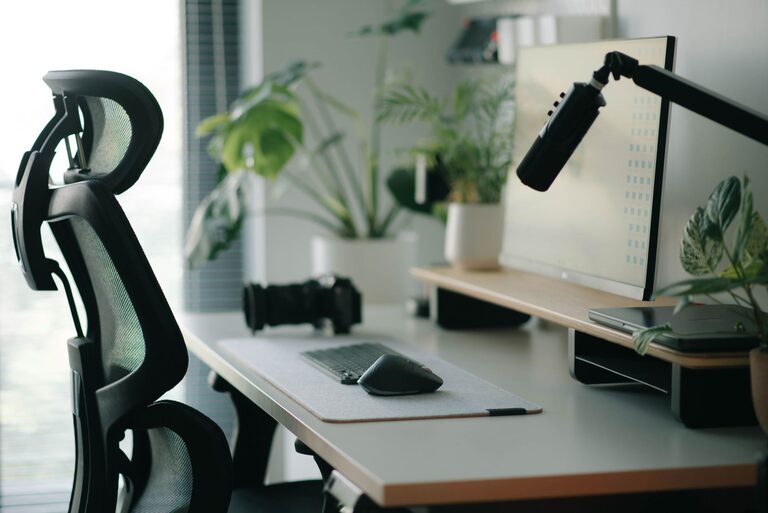
Creating a workspace that supports both focus and comfort is essential for productivity and well-being, especially if you spend long hours at your desk. Whether you’re working from home, studying, or pursuing creative projects, an organized and ergonomic desk setup can make a significant difference in how effectively and pleasantly you work.
In this post, we’ll explore practical tips to help you design a desk setup that enhances concentration and keeps you comfortable throughout your day.
Why a Good Desk Setup Matters
Your desk setup impacts your posture, energy levels, and mental clarity. Poor ergonomics can lead to discomfort and distractions, while clutter and bad lighting can disturb focus. By optimizing your workspace, you create an environment that supports sustained attention and reduces physical strain.
Choose the Right Desk and Chair
Desk Size and Height
Select a desk that fits your space and provides enough room for your essentials—computer, notebooks, and a few tools or gadgets you regularly use. The surface should be large enough to avoid feeling cramped but not so big that you waste time reaching for things.
Ideal desk height is typically 28 to 30 inches for most people. If your desk is adjustable, customize it to keep your forearms parallel to the floor when typing or writing.
Ergonomic Chair
Invest in a chair that supports your lower back and encourages good posture. Look for one with adjustable height, lumbar support, and comfortable padding. Your feet should rest flat on the floor or a footrest, and your knees should be roughly at a 90-degree angle.
Position Your Monitor and Accessories Properly
Monitor Placement
Position your monitor directly in front of you, about an arm’s length away. The top of the screen should be at or slightly below eye level. This arrangement prevents neck strain and encourages a natural posture.
If you use multiple monitors, arrange them in a slight curve to minimize head turning.
Keyboard and Mouse
Place your keyboard and mouse close together and at the same level to reduce reaching. Your wrists should remain in a neutral position while typing or using the mouse. Consider using a wrist rest to ease pressure and improve comfort.
Optimize Lighting for Productivity
Good lighting reduces eye strain and improves mood. Natural light is ideal, so position your desk near a window if possible. Use sheer curtains to prevent glare.
For artificial lighting, use an adjustable desk lamp with a soft, warm light. Avoid overhead lights that cast shadows on your work surface, and consider bias lighting behind your monitor to reduce screen glare.
Organize Your Desk to Minimize Distractions
Declutter Regularly
A clean desk helps keep your mind clear. Remove unnecessary items and only keep essentials within reach. Use storage solutions like drawers, trays, or organizers to tuck away supplies.
Use Cable Management
Tangled cables can be distracting and make your desk look messy. Employ cable clips, sleeves, or boxes to keep wires neat and out of sight.
Prioritize Essentials
Keep items you use frequently—such as pens, notebooks, or your phone—within easy reach. Less-used items can be stored further away to avoid clutter.
Add Comfort Elements
Desk Accessories
Consider a soft mouse pad and ergonomic wrist rests to reduce strain. A footrest can improve circulation and comfort during long sitting periods.
Temperature and Air Quality
Ensure your workspace is well-ventilated and at a comfortable temperature. A small fan or air purifier can help improve air quality.
Personal Touches
Adding a small plant, a favorite photo, or calming artwork can make your workspace inviting without distracting you.
Take Breaks and Move
Even the best desk setup can’t substitute for regular movement. Follow the 20-20-20 rule: every 20 minutes, look at something 20 feet away for 20 seconds. Stand up, stretch, or walk around periodically to prevent stiffness and eye fatigue.
Consider Standing Desks or Desk Converters
If you want variety, try a standing desk or a desk converter that lets you alternate between sitting and standing. Standing can boost circulation and energy but should be balanced with seated time for comfort.
Final Thoughts
Creating a desk setup that supports focus and comfort involves attention to ergonomics, lighting, organization, and personal preferences. Small changes, like adjusting your monitor height or decluttering your workspace, can have a big impact on your productivity and well-being.
Take time to evaluate your current setup, experiment with adjustments, and listen to your body’s signals. The goal is to build a space that helps you stay motivated and comfortable, making your work or study sessions more enjoyable and effective.